Enterprise AI & Automation Agency | Eplanet Soft
Step by Step Guide to Learn WordPress Development
WordPress is open-source software with a powerful system known as Content Management System (CMS). WordPress provides several features for business websites with easy techniques.
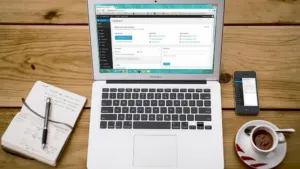
WordPress is open-source software with a powerful system known as Content Management System (CMS). WordPress provides several features for business websites with easy techniques. WordPress has its own official website called WordPress.com that offers services to create free websites or blogs.
You need to sign up for a free account and be able to develop a fully functioning website.
A WordPress Developer is able to develop a theme around WordPress.
A WordPress Developer works for WordPress and a part of the WordPress project.
A WordPress Developer is responsible for both back-end and front-end development, including WordPress themes and plugins.
A WordPress developer should have a knowledge of programming languages like PHP, HTML5, CSS3, and JavaScript.
Tips and Tricks To Learn WordPress Development
- Learn WordPress Basics
Firstly, you need to learn the basics of WordPress such as Dashboard, Posts and Pages, Media Images, Install Themes and Plugins, Customize theme options, Change plugin settings, Widgets and Menus, General Settings, and etc.
- Learn basic Code of HTML page
You can Start with HTML to Learn basic tags and coding for images and links and tables. You can easily create a page layout with header, sidebar, content, and footer.
- Change the layout of the web page using CSS
Change the color and fonts of the heading, width, and height of the images, background of the page and etc by using CSS.
- Develop a basic WordPress theme
Understand the structure of the WordPress theme.
- WordPress Template
Understand or learn WordPress Templates to discover which template is used to play which page on the front. Moreover, you can add new templates to your theme and change their layout to test the changes.
- Customize the Admin Area
Need to learn How can you Change the Admin Color Scheme, login screen, and admin navigation.
You can upload your newly created plugin or theme.
Related articles
Ready to Grow Your Business?
Get a free consultation from our digital marketing and development experts. Let's discuss how we can help you achieve your goals.
- No commitment required
- Detailed technical roadmap
- Customized to your infrastructure
By submitting this form, you agree to our privacy policy. · 4,000+ businesses served · 24hr response · 98% satisfaction